


Claude Design 2.0 is here. Here is why it changes everything.
In April 2026, Anthropic launched Claude Design, an Anthropic Labs product that let you turn text prompts into prototypes, slide decks, and interactive mockups. Powered by Claude Opus 4.7, it felt like a glimpse of where design tools were heading. A million people signed up in the first week. Figma’s stock dropped 7 per cent in a single day.
Then, on 17 June 2026, Anthropic shipped the update that turned that glimpse into something real. Claude Design 2.0, as the community has already labelled it, is not just an iteration. It is a declaration that AI-native design has arrived.
What made the original launch a big deal
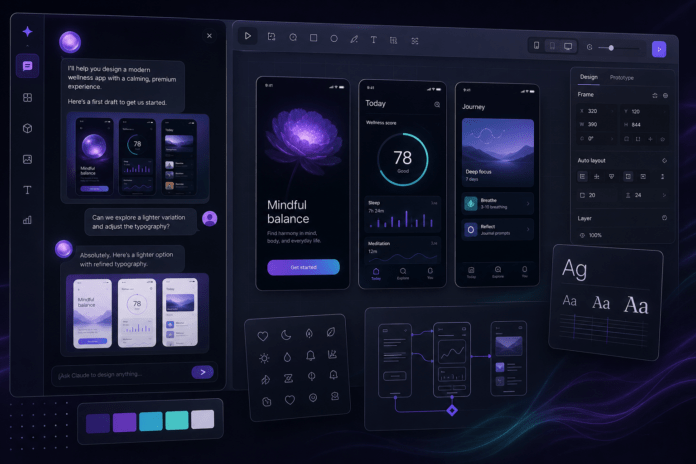
The April launch of Claude Design was impressive on paper and genuinely useful in practice. It offered a two-panel workspace: a chat panel on the left and a live canvas on the right. You could describe what you wanted in plain English, upload a brand guide or a screenshot, and Claude would generate a working prototype. It read your codebase to understand your design system. It exported to Canva, PDF, and HTML. It handed off directly to Claude Code.
The numbers spoke for themselves. Brilliant, the interactive learning platform, reported that pages which took 20+ prompts in competing tools needed only 2 prompts in Claude Design. Datadog collapsed what used to be a week-long brief-to-mockup cycle into a single conversation. Google Trends for “claude design” spiked 900 per cent week-over-week.
But there were limitations. Iteration required typing. The design system integration was manual. And the handoff to code was a one-way street.
What 2.0 fixes
The June update addresses every significant limitation of the original launch. It delivers four changes that transform Claude Design from a promising prototype into a daily driver.
1. Design systems that actually stick
Claude Design now imports your real design system, not a generic approximation. It reads from GitHub repos, Figma files, or raw uploads. It builds with your actual components, validates every output against your brand guidelines, and corrects mismatches before you see them. For teams, there is a new admin role that can lock a single standard design system so every project stays on brand automatically.
This is the feature that separates Claude Design from every other AI design tool on the market. Canva AI 2.0 cannot do it. Figma AI cannot do it. Google’s tools cannot do it. Claude Design reads your actual codebase and understands your design language the way a senior designer would after six months on the team.
2. Direct canvas editing (finally)
The April version required you to type every change. “Move the CTA left.” “Make the header blue.” It worked, but it was slow.
Version 2.0 adds real WYSIWYG canvas editing. You drag, resize, and align elements directly on the canvas. You edit text inline. You use adjustment sliders for spacing, colour, and layout. The AI is still there when you need it, but you are no longer trapped in a chat interface for micro-adjustments.
For product managers and engineers who think spatially but do not live in Figma, this changes everything.
3. Bidirectional design-to-code sync
This is the killer feature. Claude Design and Claude Code now sync both ways using the /design-sync command.
Run /design-sync in Claude Code to pull your full design system and selected screens directly into your codebase. Build your UI against real, on-brand components instead of hallucinated markup. Then push that built UI back into Claude Design for visual polish when code-first iteration hits its limits.
The workflow becomes a loop: explore in Design, implement in Code, polish in Design, ship. No more screenshot ping-pong between designers and engineers.
4. Expanded integrations and exports
Claude Design now connects to Adobe (Express, Experience Manager), Canva, Gamma, Lovable, Miro, Replit, Vercel, and Wix. It exports reliably to PDF and PowerPoint. The desktop app is now supported.
As Michele Catasta, President of AI at Replit, put it: “Builders can now design on-brand apps in Claude Design and build, refine, and ship them in Replit, all in one seamless experience.”
Is it a Figma killer?
No. And that misses the point.
Claude Design is not trying to replace Figma any more than email replaced the telephone. It addresses a different part of the workflow. Figma is where professional designers do professional design work. Claude Design is where founders, product managers, and engineers turn an idea into something a designer can look at and say, “Yes, I know what you mean now.”
Alex Lieberman, co-founder of Morning Brew and Tenex, put it well: “Anytime I am working on design directions for Tenex’s site, new brand assets, or presentations, Claude Design is the first place I go. The combination of approachable UX with strong taste and design instinct is why it has become a core part of my tech stack.”
What this means for the future
Claude Design 2.0 matters not because it replaces existing tools, but because it redefines who gets to design. A founder with a pitch deck due Friday no longer needs to learn Figma or hire a freelancer for first drafts. A product manager sketching a feature flow can hand off clean, on-brand mockups to engineering without creating tickets that say “make it look better.”
The design-to-code loop that used to require three handoffs and a week of calendar coordination now happens in a single session between two Claude products.
That is not an incremental improvement. That is a paradigm shift.
“The best design tool is the one you do not have to think about. Claude Design 2.0 is not there yet. But it is closer than anything else that has tried.”
Related reading:
- AI Agents, Copilot and the New Security Risk: When Helpful Becomes Dangerous
- How to Run AI Locally with Ollama: A Practical Guide for the Privacy-Minded
The views expressed on this site are my own and do not represent those of any current or former employer. Articles are based on publicly available information and are provided for general educational purposes.
