

This Week in Cyber: AI Gets Scary, Super Funds Get Hit, and Privacy Keeps Eroding

0
Computer keyboard and screen showing code and security data

This Week in Cyber is a topic I have been following closely, and the developments keep coming. Another week, another batch of stories that make you want to wrap your phone in tinfoil. Let’s get into it.

AI Is Getting Scary Real

The AI security conversation shifted this week from theoretical to actual. We’re no longer talking about what could happen – we’re talking about what is happening.

Research from NTT DATA highlighted a growing problem: enterprises are deploying AI agents faster than they can secure them. These aren’t chatbots – they’re autonomous systems that can browse the web, access databases, and make decisions without human oversight.

Meanwhile, reports of AI-generated sextortion targeting teenagers are increasing. Scammers are using AI to create fake nude images from social media profiles and threatening to share them. This is the kind of threat that should make every parent sit up and pay attention.

Super Funds Under Attack

The credential stuffing wave that hit Australian super funds last month is still reverberating. The numbers are stark: AustralianSuper alone lost around $500,000, with 600 accounts compromised.

The thing that gets me is how preventable this was. Password reuse isn’t a new problem. We’ve been shouting about it for years. Yet here we are, watching people lose their retirement savings because they used the same password for their super account as they did for some random shopping site.

Privacy Keeps Eroding

If you drive a smart vehicle, you might want to check what data it’s collecting. Tesla, BYD, Volvo – they’re all vacuuming up location data, driving habits, and in some cases, camera footage. The features are great, but the trade-off is real.

And if you use Grafana for monitoring, you’ll want to update. The company confirmed a breach this week, and if you’re running a self-hosted instance, you need to act now.

What I’m Watching Next Week

  • The fallout from the Grafana breach – more details should emerge
  • Continued pressure on AI regulation in Australia
  • More developments in the social media ban implementation

Stay safe out there. However, for the love of good passwords, use a password manager.

The best security tool is still common sense. Use it generously.

Worth Reading

Got a story I should cover next week? Drop me a line at info@philiphall.com.

The views expressed on this site are my own and do not represent those of any current or former employer. Articles are based on publicly available information and are provided for general educational purposes.

Someone’s Using AI to Make Fake Nudes of Teenagers. Here’s What Parents Need to Know.

0
Teenager looking concerned while using a smartphone

I keep coming back to Someone’s Using AI to Make because it affects every part of digital life. I wish I didn’t have to write this one. But here we are.

A new wave of sextortion attacks is targeting teenagers, and this time the scammers don’t even need the teen to send anything. They’re using AI image generation to create realistic fake nude photos from social media profiles, then threatening to share them unless they get paid.

Let that sink in. Your kid doesn’t have to make a mistake. They just need to have a social media profile.

How This Scam Works

The playbook is disturbingly simple: the attacker scrapes photos from a teenager’s social media profile, uses AI tools to generate realistic-looking nude images, contacts the teen directly (usually via DM on Instagram or Snapchat), and then threatens to send the fake images to the teen’s friends, family, and school unless they pay.

The images aren’t real, but the shame and fear they cause absolutely are. These scammers are counting on teenagers being too scared and embarrassed to tell anyone.

Warning Signs to Watch For

Your teen won’t always tell you something’s wrong. But watch for: receiving unexpected messages from strangers or new accounts, being asked for money or gift cards, sudden distress or anxiety about something online, wanting to delete social media accounts out of nowhere, or mentioning someone threatening to share photos of them.

What to Do If This Happens

Don’t pay. I know the instinct is to make it go away, but paying never stops the demands. They’ll just come back for more.

Take screenshots. Save everything – the messages, the profile, the fake images. You’ll need this evidence.

Report it. Contact the eSafety Commissioner or your local police. This is a serious crime and it’s being taken seriously.

Talk to your teen. The most important thing you can do is make sure they know they can come to you without judgment. The scammers rely on shame and silence.

The Uncomfortable Truth

This isn’t a problem that’s going away. AI image generation is getting better, easier to access, and harder to detect. The best defence we have is education and open conversations with our kids.

Have the conversation before something happens. Not after.

The best time to talk to your kids about online safety is before they need to hear it.

Related Reading

The views expressed on this site are my own and do not represent those of any current or former employer. Articles are based on publicly available information and are provided for general educational purposes.
Grafana Got Hacked. If You Run One, You Need to Read This.

0
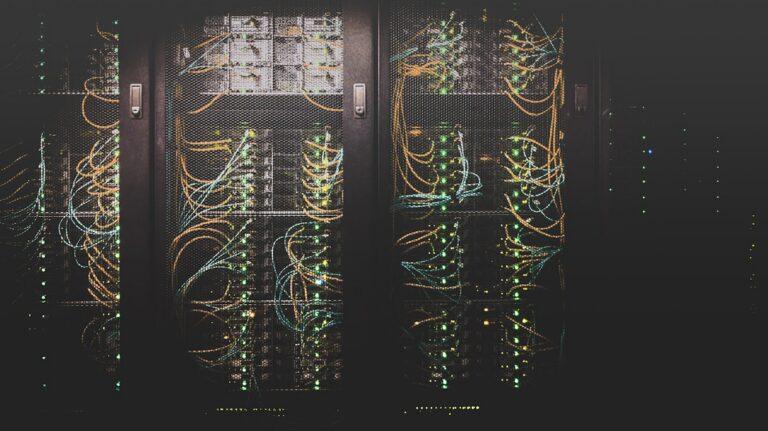
Server room with blue lights representing cybersecurity monitoring

The conversation around Grafana Got Hacked. If You has reached a critical point. I’ve been using Grafana for years to monitor my homelab and various projects. It’s one of those tools that sits quietly in the background doing important work. Which is exactly why hearing it got hacked stung a bit.

The company confirmed the breach this week after threat actors started bragging about stolen data on underground forums. If you’re running a self-hosted Grafana instance, this one’s for you.

What Actually Happened

From what’s been disclosed so far, the attackers managed to access Grafana’s systems and claim to have exfiltrated data. The company is investigating the full scope, but here’s what we know: self-hosted Grafana instances are potentially at risk, cloud customers may also be affected depending on the breach timeline, and the attackers are claiming to have data, though the extent is still being verified.

The frustrating part? We’ve seen this movie before. Security tools being compromised is becoming a pattern, not an exception. Remember when SolarWinds happened? Same energy.

What You Should Do Right Now

Update. Today. Grafana has released patches. If you’re running a self-hosted instance, check your version and update immediately. Don’t wait for the weekend.

Check your access logs. Look for anything unusual – login attempts from weird IPs, unexpected API calls, any activity that doesn’t match your normal patterns.

Rotate your credentials. Any passwords or API keys associated with your Grafana setup should be changed. Yes, all of them. I know it’s a pain, but do it anyway.

Enable MFA. If you haven’t already enabled multi-factor authentication on your Grafana accounts, now is the time. Not tomorrow. Now.

The Bigger Picture

Here’s what bothers me most about this: we’re in a loop. Security tools get compromised, we patch, we move on, and then it happens again. The organisations building the tools we rely on to detect threats need to be held to the same security standards they sell to the rest of us.

If you’re running Grafana, take 15 minutes today to check your setup. It’s the least you can do.

The tools we trust to watch our systems need someone watching them too.

Related Reading

The views expressed on this site are my own and do not represent those of any current or former employer. Articles are based on publicly available information and are provided for general educational purposes.
